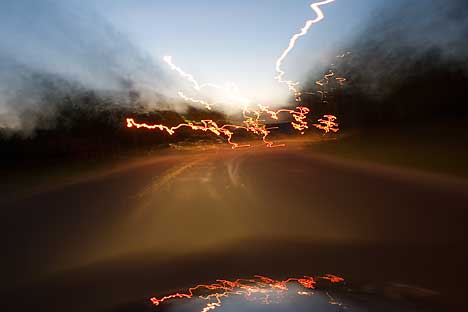
Worm Holes #4
….okay, prehaps I should not have been so gloomy before I actually loaded CS3….These are going to be my immediate first impressions. First, thinking about the need for only 1 G HD for the program, I quickly realized that if I can now read my Canon RAW files directly, then I do not need to keep my intermediate TIFF work-around files any longer. Thus I would probably free up more space than I would need, so I loaded CS3 on my main computer. I could also nuke PS CS, but being a little conservative, I will wait a couple of months before I make that change. Since I knew where I have most of the TIFF files I went and nuked them (from Bridge – which is new to me as I did use CS2). Net effect, I have more Hard Disk space on my main computer now. Yeah!
Next was opening one of my recent RAW files, no problems. I was able to view both my older Canon RAW files (.crw) and my current Canon RAW files (.CR2). Yeah! One thing I still need to work on is how to use Bridge; when I clicked on the file, it did not come up in the Preview box.
This is my learning segway; I also bought Martin Evening’s book, Adobe Photoshop CS3 for Photographers as my “manual”. Previously for my CS “maual” I had purchased the Scott Kelby book The Photoshop CS Book for Digital Photograhers. I liked Scott’s book, it usually helped me figure out some good alternatives to some creative problems. But Sctt’s book was not available in my Borders yet and I had kinda liked Martin’s CS book for photographer, but I did not need two. So now I have Martin’s book for CS3 and I will get through the parts of this I need. Then I will see what Scott’s CS3 book has that I might need, guessing that he is going to update his CS2 book. So far Martin’s book is a nice easy informative read, thumbs up.
Back to CS3. With my workflow, after opening this image in RAW, I first to check the various values and tones to make adjustments if I have clipped the dark or light values in my initial camera exposure. So far, so good, this image does not need any initial RAW adjustments for me. Then I opened this image from ARC into Photoshop. Next is to immediately “save-as” into a Photoshop (.psd) file. That well fine. I checked the historgram again (just like in CS) and that did not call for an adjustment layer. For me, this image was done for now. Then to prepare for the web, which is to downsize to 72dpi, make sure 8-bit and then resize for this blog. Then a final Sharpen filer before the “save-as” for a medium size jpg image. What I learned from this is that my RAW conversion converted this image to a 8-bit, not a 16-bit image. So I need to go back to the ARC and set the default to convert to PS in 16-bit.
Bottom line, CS3 is a bit slower, but hardly noticeable yet, but I have not worked with a big layer stack in 16-bit mode yet. The workflow is not a radical change, such that I quickly went to the tool bars to find what I was looking for. I don’t need to read Martins 600 word book tonight to be able to do anything tomorrow with CS3. And it is not neccesary for me to buy a new computer just yet, so that purchase goes into the plan for next year, unless something else rocks the boat sooner.
Best regards, Doug
 Singular Images
Leave a comment